Component Rules
Overview
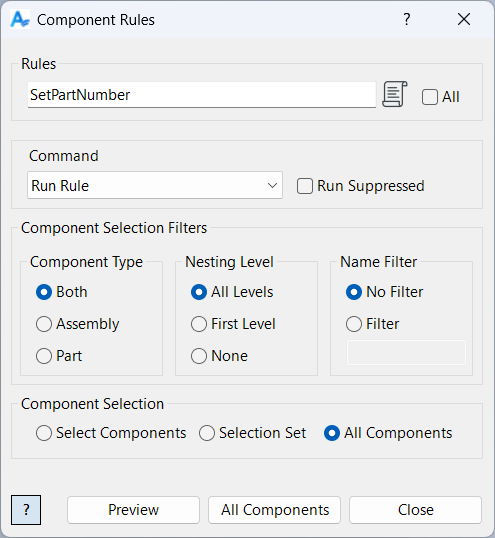
Component Rules allows you to run, modify, or manage rules in selected Inventor components. You can enter a list of comma-separated rule names (or check all rules), choose a command, and select the components to process. The command is then executed on the specified rules in each selected component.
Available commands include: Run, Delete, Rename, Suppress, Unsuppress, Log Exists, and Log Not Exists. Component selection is filtered based on dialog box input as described in Filtered Select.
Samples
Sample files are located in C:\ProgramData\Autodesk\ApplicationPlugins\ArpaFlow.AssemblyTools.Core.Bundle\Samples. See Samples Summary
In the example below, each component in the assembly is searched for a rule named SetCladd and SetPartNumber.